
Budget Tip-In (A5 & B6) | Magnet Planner


Budget Tip-In (A5 & B6) | Magnet Planner
Final Sale Notice: Please note that personalized items, paper products, Oops items, special event orders, and sale items are final sale. Thank you so much for your understanding.
Frequently Bought Together
Budget Tip Ins for A5 & B6 Planners
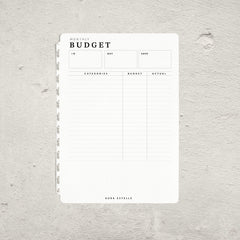
These Aura Estelle Budget Tip Ins are paper inserts designed in house for the MAGNET Planner, and they also work with other compatible A5 and B6 planners. Keep your money pages separate from the rest of your planner so your spending stays easy to find and easy to update.
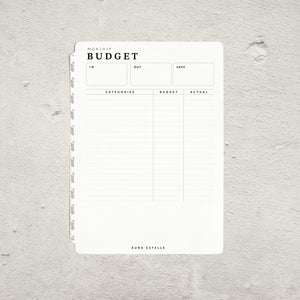
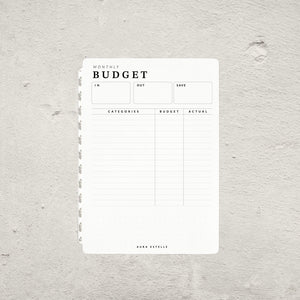
One side is a monthly budget page. There is space at the top for money in, money out and what you managed to save, then a categories table where you set a budget and record what you actually spent beside it. A dot grid section at the bottom leaves room for notes, sinking funds, or anything that does not fit neatly in a table.
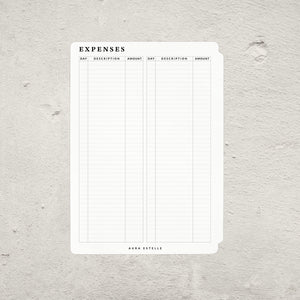
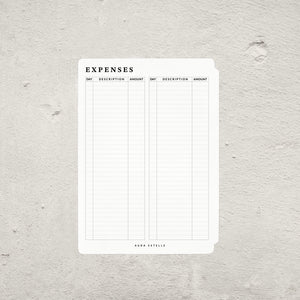
The other side is a daily expenses log with two columns of day, description and amount, so a full month of spending fits on a single page.
What you get
- 12 sheets, 24 pages per pack
- Monthly budget page with in, out and save totals
- Categories table with side by side budget and actual columns
- Dot grid space for notes
- Daily expenses log on the reverse
- Magnet tabs so pages tip in and out without tools
Available in A5 and B6 to match your MAGNET Planner.
2027 Magnet Pre-Order
Restock pre-order
Building a planner setup with inserts and dashboards
Planner inserts, dashboards, dividers, and tip-ins help turn a planner into a flexible setup. Start with the planner size, then decide whether this piece belongs in your daily planning pages, monthly overview, notes section, or decorative dashboard stack.
Check the planner or cover size before adding inserts, dashboards, or dividers so the setup turns cleanly and stays comfortable to carry.
Use dashboards and dividers to mark monthly, weekly, notes, finance, health, memory keeping, or project sections.
A few well-placed inserts can make a planner easier to use; too many layers can make the stack harder to close or write in.
Planner insert FAQ
Match the insert, dashboard, or divider to the planner size first. If you use a cover, also check how much thickness the full planner stack can comfortably hold.
Dashboards can separate sections, protect frequently used pages, hold reference cards, or add a visual reset between monthly, weekly, and notes pages.
A planner tip-in is an added page, card, insert, or fold-out that gives a planner extra function without changing the main planner layout.
No. A Tip-In is an accessory that adds pages to a compatible planner system; it is not meant to replace your main planner.
Choose the sections you reach for most often, then add inserts gradually. A thinner, easier-to-use setup usually gets used more consistently.